Indoor mapping by Mappire
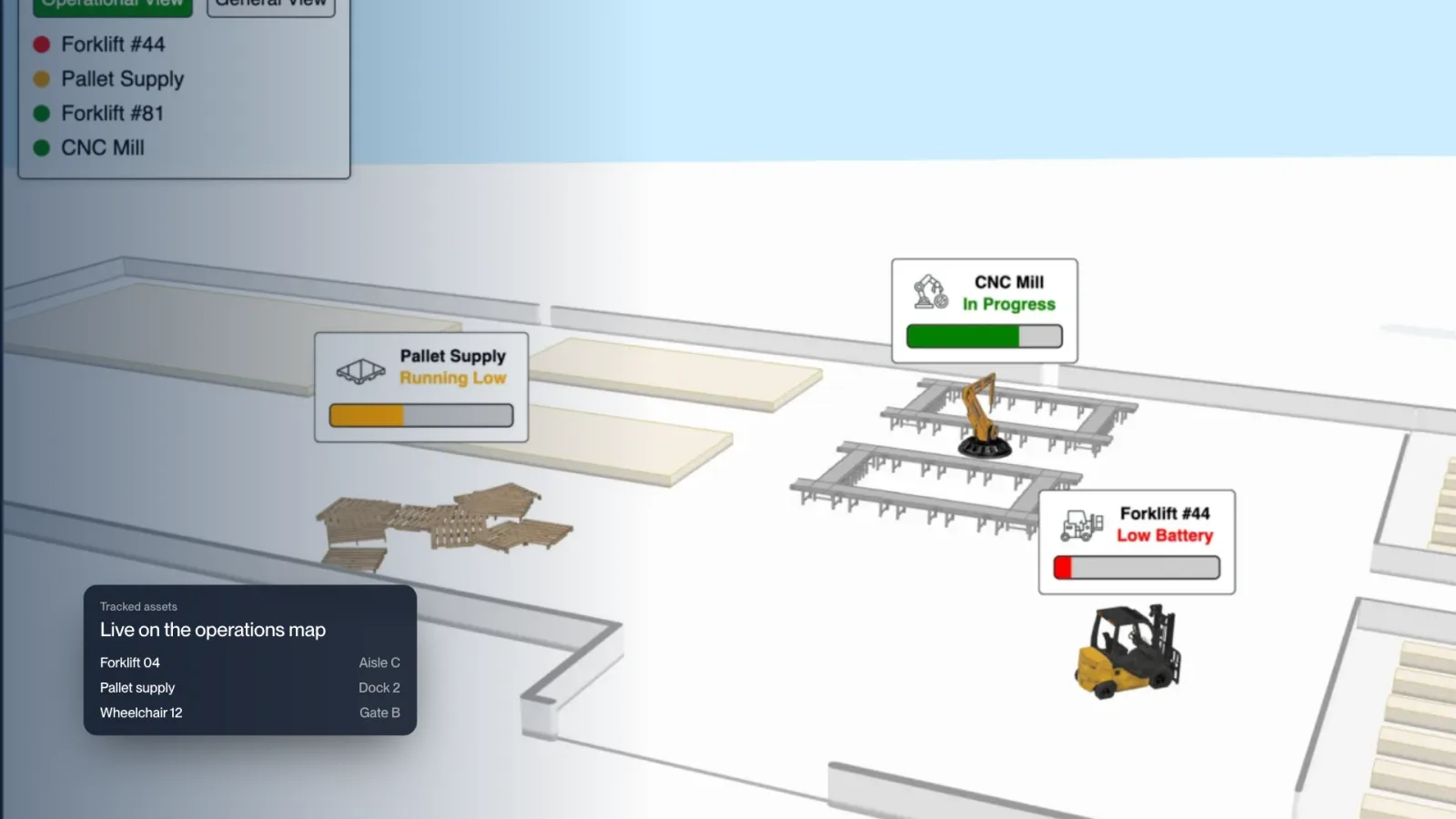
Indoor asset tracking on a live 3D map
See your assets on the venue map. Equipment, carts and devices appear where they are, on the same 3D map your visitors and staff already use.
- 01
Assets shown live on the 3D venue map.
- 02
Find equipment by floor, zone or room.
- 03
Connects to the tracking data you already collect.
- 04
One map for operations and visitors.


What is an indoor asset tracking system?
An indoor asset tracking system shows where equipment is inside a building. Mappire places your assets on the live 3D venue map, so staff see a wheelchair, cart or scanner on the right floor and in the right room.
Connects to the data you already have
Most venues already collect location data from BLE sensors or other tracking hardware. Mappire connects to it through REST and WebSocket APIs and draws it on the map. We build each connection with your team.
Operations and visitors on one map
Staff find assets on the same map visitors use to find a gate or clinic, with closures, emergency routes and cameras in one place. See CCTV on the map and occupancy analytics.
Where it matters
Hospitals finding mobile equipment, airports locating carts and service vehicles, exhibitions tracking event kit across halls and campuses managing shared devices.
Questions buyers ask
How does Mappire show asset tracking?
Mappire places tracked assets on the 3D venue map, so staff see where equipment is by floor, zone or room instead of reading coordinates in a table.
Does Mappire supply the tracking tags?
No. Mappire connects to the location data you already collect, such as BLE sensors, through its APIs. We build the connection with your team.
Is it a separate system from the visitor map?
No. Operations and visitors use one map, so an asset, a closure or a route change all live in the same place.
Send the floor plan. We will show you what the venue can become.
Map my venue